Well, today I once again had the case where a virtual machine (in my case a Virtual Machine Template) was kinda stuck. You couldn’t remove the template (as in the entries for “Remove from inventory” was grayed out) and you couldn’t re-add the Virtual Machine’s VMX from the datastore browser either.
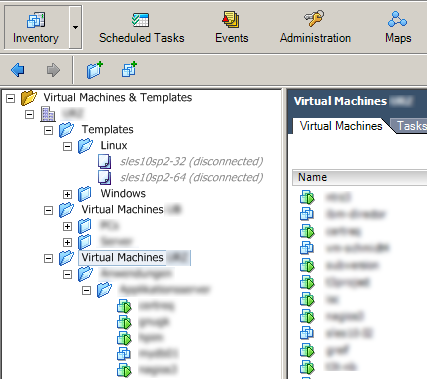
VI Client - Disconnected templates
Though, a simple putting the host into maintenance mode and rebooting helped that problem. Maybe there is a simpler solution for this, I just don’t know about it.
Thanks to Sven in #1, I now know that simple solution for my problem!
| |
Half a minute, and a heart-stopping moment later (all VM’s on that host turn grey after the first update) the VM’s are accessible again. Thanks again to Sven!